
CookDiary Alternatives: Which Cooking Journal Fits You Better?
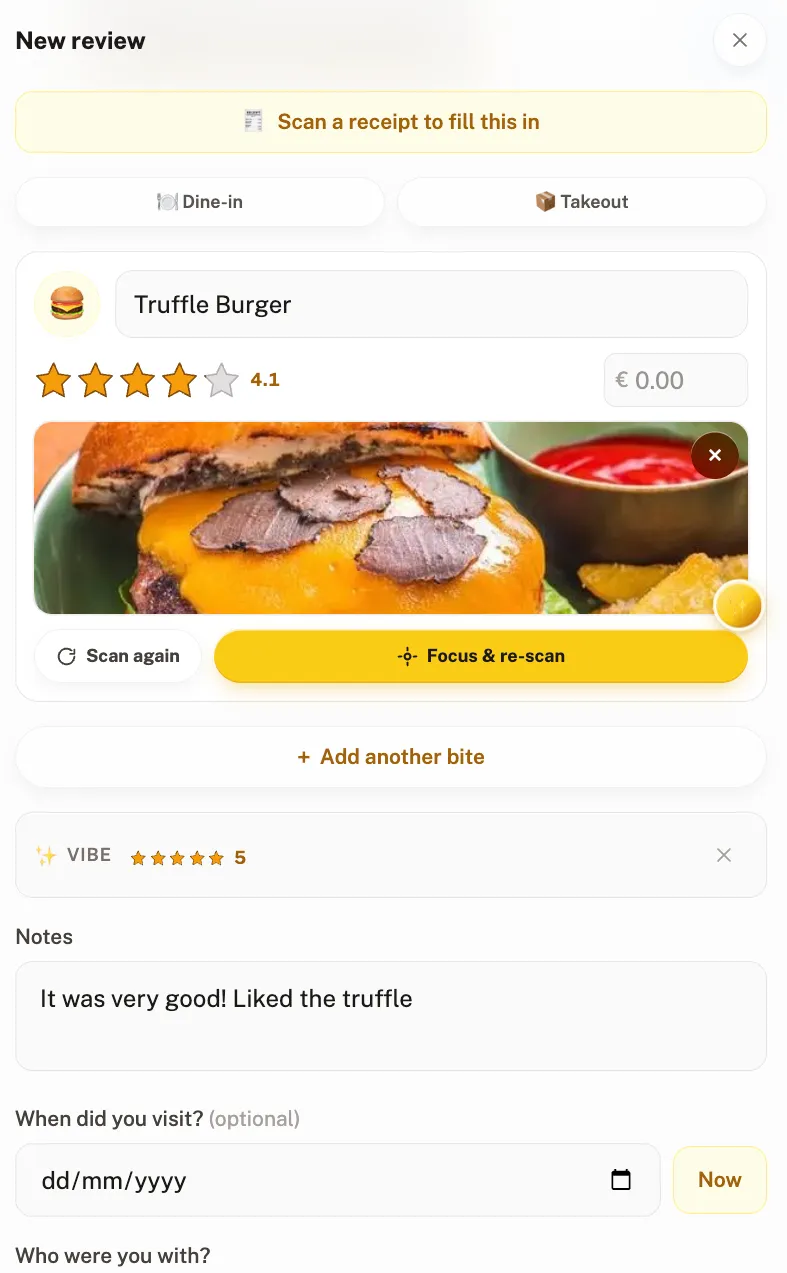
The best CookDiary alternative is Crumble if you also eat out and want one record for both, AteThat! if you want the cheapest thing that works on an iPhone, and Paprika if what you actually wanted was a recipe organiser. CookDiary itself now runs on iOS and Android, and for comparing repeat attempts at one dish it is still the best of the lot.
People usually leave for one of two reasons, and they lead to different answers. Either you also eat out and are tired of keeping two records, or the paid tiers feel steep for what is a journal. This is four options against those problems, and an honest note about the thing CookDiary does better than any of them.
Why do people leave CookDiary?
It is home cooking only. That focus is a real strength, and it means your restaurant meals live in a second app. Two records, two habits, and one of them gets abandoned inside a couple of months.
The paid tiers are steep for a journal. Free to download, with in-app purchases listed on the App Store from USD 3.99 for a single week up to USD 69.99 for full access.
It lives in the app stores. It runs on iPhone, iPad, Mac with an M1 or later and Apple Vision per its App Store listing, and on Android through Google Play, which its own site links to. No web version is stated, so logging from a laptop or a work computer is out.
The four CookDiary alternatives at a glance
| App | Platforms | Restaurants too? | Price | Best for |
|---|---|---|---|---|
| Crumble | Any browser, installs on iOS and Android | Yes, same record | Free | One history for cooking and eating out |
| AteThat! | iPhone, iPad | Yes | USD 0.99 one-time | The cheapest thing that works |
| Paprika | iOS, Android, Mac, Windows | No, it is an organiser | Paid per platform | Recipes, shopping lists, meal plans |
| CookDiary | iOS, Android, Mac | Home cooking focused | Free with in-app purchases | Comparing attempt one with attempt seven |
1. Crumble: for the half CookDiary leaves out
The difference that matters is scope. A meal you cooked and a meal you ate out are the same kind of entry in the same history, rated on the same scale, so you end up with a record of what you ate rather than one record of dinners and another of restaurants.
It runs in any browser and installs on iOS and Android from the browser, so there is no app store gate and a laptop works as well as a phone. It is free.
For the cooking half specifically: mark a review home-made and it becomes Made at home, carrying no venue identity, kept off the shared map and with its coordinates hidden from everyone else. You can attach up to ten recipes to one entry, each a link or the method typed out to 5000 characters, so the version you keep is the one with your changes in it.
Ratings are 0 to 5 in tenth-of-a-star steps, which matters for cooking because the gap between your third ragu and your fourth is not a whole star.
2. AteThat!: the cheap one that covers both
If the CookDiary subscription is what pushed you out, AteThat! is USD 0.99 once per its App Store listing. You add a meal with a photo, a rating and a note, and the date and location are stored for you. It covers restaurant dishes and home cooking alike.
Its distinctive feature is one nobody else bothered with: leftover reminders, which is genuinely practical if you batch cook. It is iPhone and iPad only, with a Mac listing marked as not verified for macOS, so it is no answer on Android. More in our AteThat! alternatives page.
3. Paprika: if you actually wanted an organiser
Worth checking before you compare journals at all. If what you want is to collect recipes and cook from them, none of the journals above are the answer and Paprika is. It organises recipes, builds meal plans and grocery lists, saves recipes from the web through a built-in browser, syncs across devices, scales ingredients and converts units.
It runs on iOS, Android, Mac and Windows, sold separately per platform. Its own site lists no prices, so we are not going to invent one.
The split is clean: an organiser is for the cooking you are going to do, a journal is for the cooking you did. Mixing them up is the main reason people abandon apps in this category.
4. CookDiary, and what it does better
Staying is a legitimate outcome, and there is one thing it does that none of the alternatives match. Its own framing is that it tracks every attempt at every dish, so you can put your first go beside your best one and see what changed.
That is the correct unit for learning to cook something, and it is more structured than what the rest of us offer. If you are working on one dish over months and only care about the cooking, the honest recommendation is to stay where you are.
It also builds a personal cookbook out of what you log, imports recipes from TikTok, Instagram or any website, shows a year view of your cooking with streaks, and adds AI feedback on top, per its listing.
Which CookDiary alternative should you pick?
- You want to log from a browser or a laptop. Crumble. It is the only one here that is not app-store bound.
- You eat out as much as you cook. Crumble or AteThat!, since CookDiary will only ever hold half your eating.
- You want the cheapest thing that works. AteThat!, at USD 0.99 once.
- You want a shopping list and a meal plan. Paprika, and it is not close.
- You are drilling one dish over months. Stay on CookDiary.
For the wider category, our home cooking journal apps comparison covers the same ground from scratch, and how to track what you cook covers the method whichever app you land on. If streaks and rewards are what keep you cooking, see gamified cooking apps.
Start your cooking journal today
Crumble is free, runs in any browser and installs on iOS and Android. Log tonight’s dinner with a photo, a 0 to 5 rating and the recipe attached, and the restaurant you go to on Friday lands in the same history.
Frequently asked questions
What is the best CookDiary alternative?
It depends which problem sent you looking. If you also eat out and want one record for both, Crumble treats a cooked meal and a restaurant meal as the same kind of entry, and it is free. If it is the price, AteThat! is USD 0.99 one-time on iPhone. If you wanted recipes, meal plans and shopping lists rather than a journal, Paprika.
Is CookDiary available on Android?
Yes. Its own site links to an Android app on Google Play alongside the App Store version, which runs on iPhone, iPad, Mac with an M1 or later and Apple Vision. No web version is stated, so if you want to log from a browser, Crumble is the option here that does that.
What is the difference between a cooking journal and a recipe app?
A recipe app holds the cooking you are going to do: saved recipes, meal plans, shopping lists. A cooking journal holds what you did: the dish, how it turned out, a rating and what you would change. CookDiary and Crumble are journals, Paprika is a recipe app, and mixing the two up is the main reason people abandon apps in this category.
How much does CookDiary cost?
It is free to download with in-app purchases. Its listing showed tiers from USD 3.99 for one week up to USD 69.99 for full access when we checked in September 2026. Those are third-party prices and they move.
Is there a free CookDiary alternative?
Crumble is free, including per-dish ratings, photos, attaching recipes to a home-made entry and the friends map. AteThat! is a one-time USD 0.99 rather than free, and Paprika is paid per platform.
What does CookDiary do better than the alternatives?
Repeat attempts. It tracks every attempt at every dish so you can compare your first go with your best one, which is the right unit for learning a dish and more structured than what the alternatives offer. If you are working on one recipe over months and only log your own cooking, staying is the sensible answer.
Can I track restaurants and home cooking in one app?
Crumble and AteThat! both do. Crumble puts them on the same 0 to 5 scale in tenth-of-a-star steps so one history covers both, while CookDiary focuses on home cooking, which means restaurant meals end up in a second app.