
The Best Google Trips Alternatives in 2026
There is no single app that replaces Google Trips, because Google split its jobs up when it shut the app on August 5, 2019. For ready-made day plans, use Crumble’s free ready-made days (for food) or Tripomatic, formerly Sygic Travel, and Visit A City (for sightseeing). For bookings, use TripIt. For planning with friends, use Wanderlog. Google’s own leftovers live in Google Maps lists and google.com/travel.
Below: what Google Trips actually did, where each feature went, one replacement per feature, a comparison table, and a ten-minute setup that gets you most of the old app back.
What Google Trips did
Google launched Trips on September 19, 2016, for Android and iPhone. Its pitch was "see more, plan less", and it did four things in one place:
- Day plans. For the world’s top 200 cities, Trips showed ready-made day plans built from popular itineraries. You opened Lisbon and got a sensible walking day without building anything.
- Reservations from Gmail. Flight, hotel, car and restaurant confirmations were gathered from your inbox and sorted into a trip automatically.
- Things to do, food and drink. Each trip had categories for sights, places to eat and practical info.
- Offline. The whole app worked without a connection once a trip was downloaded. For travellers without roaming data, this was the killer feature.
In 2019 Google announced it would retire the app, and Google Trips stopped working on August 5, 2019. It lasted just under three years. The old address, get.google.com/trips, now redirects to google.com/travel.
Where its features went
Google explained the plan in a blog post on May 14, 2019: trip information would move to google.com/travel, to Search and to Google Maps. Reservations from Gmail would appear on a trip timeline on the web, saved places and tracked flights would be added to trips, and reservations would show up in Maps. Here is how that looks from 2026:
| Google Trips feature | Where Google moved it | Best replacement in 2026 |
|---|---|---|
| Ready-made day plans (200 cities) | Not carried over | Crumble ready-made days (food, free), Tripomatic, Visit A City |
| Reservations from Gmail | google.com/travel trip timeline (2019) | TripIt (forward to plans@tripit.com) |
| Saved places | Google Maps lists | Google Maps lists, or a heart in Crumble for food |
| Things to do | Search and Maps | Google Maps, Tripomatic |
| Whole trip offline | Maps offline areas (maps only) | Maps offline areas plus TripIt for bookings |
| Planning with others | Not part of Trips | Wanderlog (real-time editing) |
Two honest caveats. First, Google Travel has drifted since 2019. Its help centre today covers Flights, Hotels, train and bus search and price tracking, and trip timelines are not part of it, so do not build your trip around one. Second, the feature people miss most, the ready-made day plan, never came back in any Google product. That gap is why "Google Trips alternative" is still searched seven years later.
What did survive is Google Maps lists. You can make your own lists next to the defaults (Favorites, Want to go, Travel plans, Starred places), share them by link and invite collaborators. It is a fine place to dump pins. If your lists have grown into hundreds of unsorted places, our guide to Google Maps lists alternatives covers what to do about it.
Alternatives by feature
Pick by the job you miss. Most people end up with two apps: one for bookings and one for days.
Day plans for food: Crumble ready-made days (free)
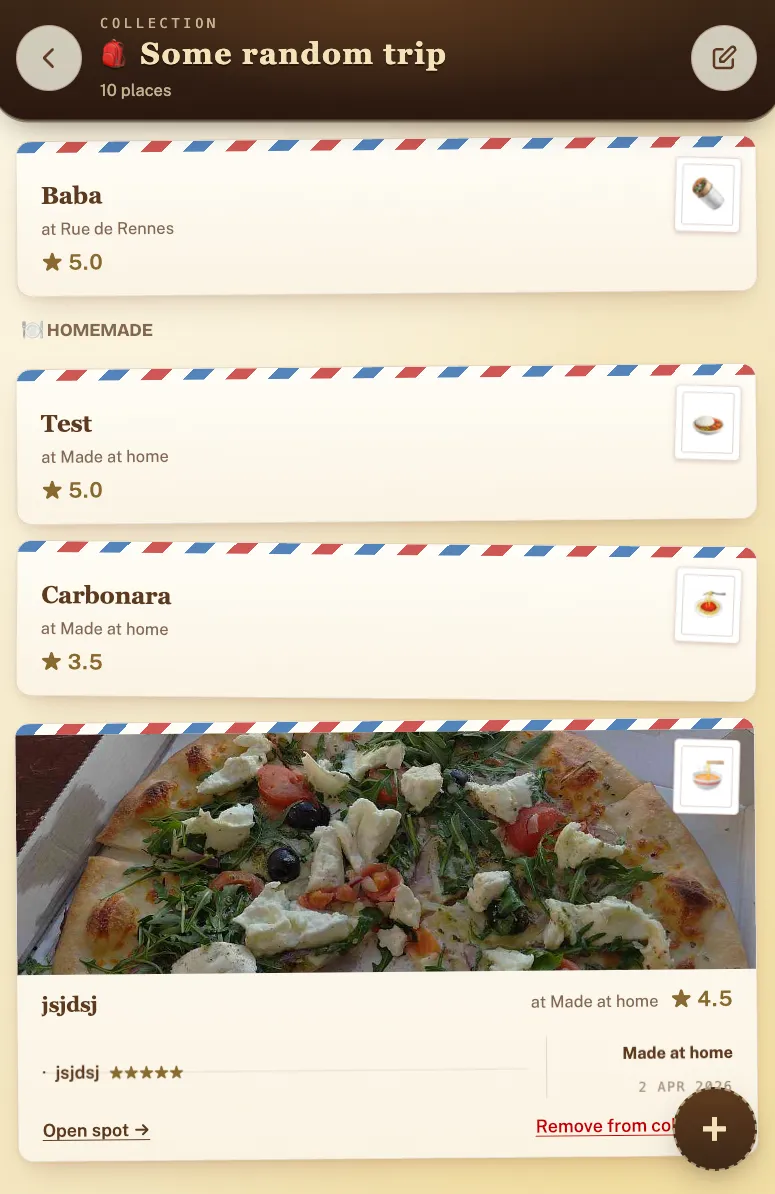
Open a city in Crumble Explore and you get "A day in {city}": a ready-made day of 3 or more food stops, built from the places Explore already shows. There is no AI involved and it is free. Arrows step through the city’s other ready-made days. Pin the stops you like, tap "Another" to swap the rest, then "Save as trip" to keep it.
Each card shows an estimated travel time on foot, by bike or by car, marked with "≈" because it is a straight-line estimate, not a routed one. There is no public transport mode. Every card links to Google Maps directions for the real route. If a city has nothing yet, "Request this city" asks us to research it (one city a day, free).
If you would rather describe the day ("ramen and a natural wine bar, 4 spots, end at a dessert place"), Plan my day builds it with AI. That is part of Crumble Plus (free 30-day trial, no card), not the free plan. Our AI food trip planner guide shows how it compares with ChatGPT and other planners.
Where Crumble is the wrong pick: it plans where to eat and drink, not museums and viewpoints. For a classic sightseeing day, use one of the next two.
Day plans for sightseeing: Tripomatic (formerly Sygic Travel)
Sygic Travel, the app most 2019 articles recommended, is now called Tripomatic: travel.sygic.com redirects to tripomatic.com, and its App Store listing says "formerly Sygic Travel". It builds day-by-day itineraries with drag and drop, has an AI planner, shows travel times between stops (including transit), and lets you share a trip with companions in real time. The free plan has no time limit but caps you at 5 days with planned activities per month and 25 places per trip, with ads. Offline maps are in Premium, which makes it the closest thing to the old offline Trips experience if you are willing to pay. Web, iPhone and Android.
Day plans for sightseeing: Visit A City
Visit A City is built for one thing: a customised sightseeing itinerary for a city, with must-see landmarks, a city guide and tours and activities you can book in the app. It is free to download and rated 4.8 from about 14,800 ratings on the US App Store. If what you loved about Trips was "open a city, get a plan for the day", this is the most direct sightseeing equivalent.
Bookings: TripIt
For the Gmail-reservations part of Trips, TripIt is the specialist. Forward any confirmation (flight, hotel, rental car) to plans@tripit.com and it lands in one itinerary. Reservation details are available offline, plans sync to your calendar, and you can share them with anyone. TripIt Pro is a paid upgrade that adds real-time flight alerts and check-in reminders; the free version is enough for most trips.
Google Travel is still useful at the booking stage too: Google Flights and Google Hotels search, with price tracking for a route. It is a search tool, not a trip organiser.
Group planning: Wanderlog
Google Trips was a solo app. If you plan with friends, Wanderlog is better than Trips ever was: several people edit one itinerary in real time, it pins every stop on a map, and imports reservations when you forward the emails. The core is free; Pro adds extras like linking Gmail, exporting to Google Maps and offline access. If Wanderlog is specifically what you are weighing up, our Wanderlog alternative page goes deeper, including where it falls short for food.
Comparison table
| App | Replaces | Ready-made days | Bookings import | Group planning | Offline | Price |
|---|---|---|---|---|---|---|
| Crumble | Day plans (food) | Yes, free | No | Invite friends to a trip | No | Free; AI planning in Plus (30-day free trial) |
| Tripomatic | Day plans (sights) | AI or build your own | Not its focus | Real-time sharing | Premium | Free plan with limits; Premium paid |
| Visit A City | Day plans (sights) | Customised itinerary | Books tours | Not its focus | Not its focus | Free download |
| TripIt | Gmail reservations | No | Forward to plans@tripit.com | Share plans | Reservation details | Free; Pro paid |
| Wanderlog | Whole-trip planning | Build your own | Forward emails (Gmail link in Pro) | Real-time editing | Pro | Free; Pro optional |
| Google Maps + Travel | Saved places, flights, hotels | No | Flights and hotels search | Shared lists | Maps offline areas | Free |
See a ready-made day in Explore
Rebuild the Google Trips setup in 10 minutes
- Bookings: forward your flight and hotel confirmations to TripIt. That is the old automatic reservations tab, offline included.
- Places: save sights to a Google Maps list for the trip. Save food in Crumble with the heart, so you can turn the places into a trip later.
- Days: for each day, open a ready-made day. Food days come from Crumble Explore, sightseeing days from Tripomatic or Visit A City. Keep the stops you like and swap the rest.
- Offline: download the city as an offline area in Google Maps before you fly. Crumble needs a connection, so check it at the hotel.
- Friends: if several people are planning, put the shared itinerary in Wanderlog, or invite friends to the Crumble trip for the food part.
For a longer food-first walkthrough (picking the city by its dishes, one booking a day, grouping stops by neighbourhood), read how to plan a food trip.
Where Crumble fits, and where it does not
Crumble is a food app first: people rate the places they eat, share them with friends, and Explore turns that, plus our own research, into a city deck. That is why its day plans are about food. When you save a day or turn your liked places into a trip, the Trips planner gives you up to 14 days with time slots (breakfast, morning, lunch, afternoon, dinner, drinks), your own stops for museums or shopping, calendar export and Google Maps directions. You can keep a trip private, share it by link, or publish it. A public trip never shows your dates, notes or members.
The limits, plainly: no offline mode, no booking import, no transit times, and the app itself is in English. It is a web app that runs in any browser and can be added to the home screen on iPhone and Android; there is no app-store app. If those matter more than the food, use the apps above and keep Crumble for deciding where to eat.
Frequently asked questions
What replaced Google Trips?
Google moved parts of Trips into google.com/travel, Search and Google Maps in 2019. In practice, Maps lists replaced saved places and Google Flights and Hotels cover booking searches. Ready-made day plans were not replaced by any Google product. For those, use Crumble ready-made days for food, or Tripomatic and Visit A City for sightseeing.
When did Google Trips shut down?
Google Trips stopped working on August 5, 2019, after Google announced its retirement earlier that year. The app had launched on September 19, 2016, for Android and iPhone. Its old address, get.google.com/trips, now redirects to google.com/travel, which today focuses on flights, hotels and price tracking.
Is there an app like Google Trips with day plans?
Yes, but split by topic. Crumble shows free ready-made food days for a city, with 3 or more stops you can pin or swap. Tripomatic (formerly Sygic Travel) and Visit A City build sightseeing itineraries. Tripomatic also has offline maps, but only in its paid Premium plan.
What is the best free Google Trips alternative?
For bookings, TripIt’s free version: forward confirmations to plans@tripit.com. For group planning, Wanderlog’s free tier with real-time editing. For food days, Crumble’s ready-made days, which are free. Google Maps lists remain free for saving places. Combining two of these covers almost everything Google Trips did.
Is there a Google Trips alternative that works offline?
Partly. Google Maps lets you download offline areas, TripIt keeps reservation details available offline, Wanderlog Pro offers offline access, and Tripomatic includes offline maps in Premium. No current app matches Trips’ fully offline city guide for free. Crumble does not work offline, so check your food plan before you lose signal.