
How to Plan a Food Trip (a Day-by-Day Foodie Itinerary)
To plan a food trip, pick the city for its dishes, collect every place you want to try in one list, then turn that list into days: one booked "anchor" meal per day, everything else grouped by neighbourhood around it, and one loose buffer day. That is the whole method. The rest of this guide walks through each step, gives you a day-by-day food itinerary template you can copy, and shows how we do it in Crumble Trips, which builds the days from your saved places for you.
A food trip is not the same as a food tour. A food tour is one afternoon of 4 to 6 small stops in one neighbourhood. A food trip is 2 to 7 days where meals decide the shape of every day: where you stay, which area you explore, and when you rest. You can (and should) put a food tour inside a food trip, but the planning problem is different: it is about spreading the best meals across days without zig-zagging across the city or eating three dinners by accident.
Step 1: Pick the city by its dishes, not its sights
Start from food you want to eat, not from a city you think you should see. Write down 5 to 10 dishes or drinks you would be sad to miss. That list does two jobs: it tells you which city fits, and later it becomes your checklist so the trip does not drift into "whatever is near the hotel".
| If you want… | Cities built around it | What to put on your dish list |
|---|---|---|
| Pastry and seafood | Lisbon, Porto | Pastel de nata, bifana, grilled sardines, a seafood lunch |
| Pizza, pasta, cured meat | Naples, Bologna, Rome | Neapolitan pizza, tagliatelle al ragù, mortadella, gelato |
| Street food and night markets | Taipei, Bangkok, Penang | Night-market snacks, beef noodle soup, char kway teow |
| Tapas and late dinners | Madrid, San Sebastián, Seville | Tortilla, pintxos, croquetas, vermouth |
| Counter dining and snacks | Osaka, Tokyo | Takoyaki, okonomiyaki, ramen, a standing bar |
| Tacos and markets | Mexico City, Oaxaca | Tacos al pastor, tlayudas, mole, a market breakfast |
Then check the calendar. Some cities slow right down in a holiday month and many family-run places close for a week or two; others have a festival that fills every table. A quick search for "[city] restaurants closed [month]" before you book flights saves a lot of disappointment.
Step 2: Collect every place into one list
The biggest planning mistake is keeping places in five apps: a TikTok folder, an Instagram collection, a screenshot album, a friend's WhatsApp message and a half-filled Google Maps list. When it is time to plan the days you cannot see any of it on one map. Pick one home for the list and pour everything into it.
- From social video: TikTok and Instagram saves are where most food trips start. Move them out before you forget why you saved them. We wrote up the steps in how to save restaurants from TikTok.
- On a map: a list only becomes an itinerary once you can see where the places are. If you are still choosing a tool, our restaurant map app comparison covers the options.
- From real research: local food critics, local-language reviews and friends who have been beat any generic top-10 list. Our guide on how to find good restaurants when traveling has the full routine for skipping tourist traps.
Aim for roughly twice as many places as you will actually visit. For a 4-day trip that is 25 to 35 places. Too few and one closure wrecks a day; too many and you spend the trip reading your own list.
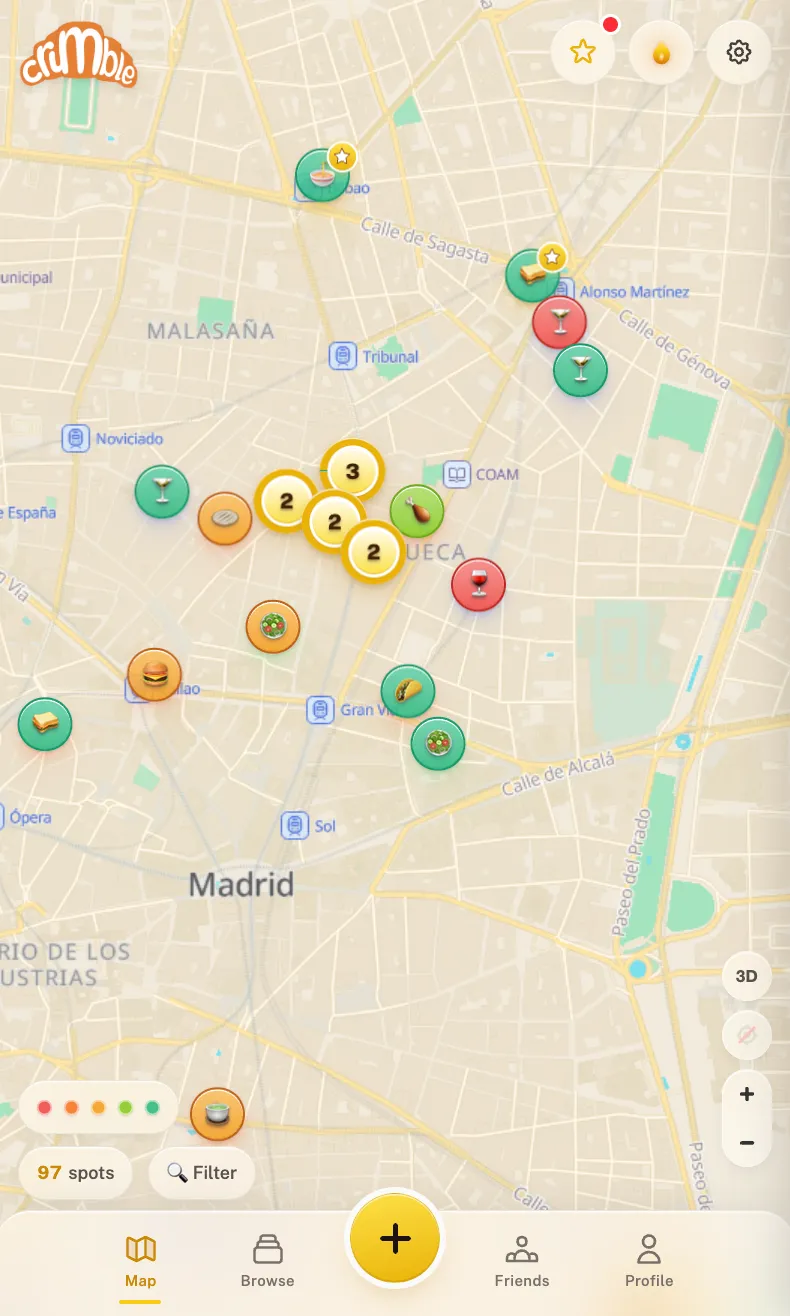
In Crumble, this list is your likes. Open the city in Explore, swipe through the deck (trending places, your friends' spots, staff picks and places found online) and tap the heart on anything you want to try. Every heart lands in your Wishlist, already pinned on the map.
Step 3: Anchor meals vs flexible meals (one booking a day)
Not every meal deserves a reservation. We split them into two kinds:
- Anchor meal: the one meal a day you would genuinely plan the day around. The tasting menu, the famous grill, the place that books out. Book it, ideally as soon as the restaurant opens reservations for your dates.
- Flexible meals: everything else. Bakeries, market stalls, a noodle counter, the bar a local recommends. You walk in when you are hungry and nearby.
One anchor a day is the rule that makes a food trip work. Two bookings a day turns the trip into a schedule you serve, and a late lunch can ruin a booked dinner. Put anchors at lunch when you can: lunch menus at serious restaurants are often cheaper than dinner, and it leaves the evening free to wander.
Step 4: Group stops by neighbourhood, one area per day
Now turn the list into days. Look at your map and draw circles around the clusters of pins. Each tight cluster (roughly 15 to 20 minutes on foot across) becomes a day. Put the anchor meal of that day in that cluster, then fill the gaps with flexible places nearby.
- Mark each anchor booking on the map first. Those days are fixed.
- Assign every other cluster to a free day. Big clusters may need a day each; small ones can be paired if they sit next to each other.
- Inside each day, put places in meal order: breakfast or coffee, lunch, an afternoon snack, dinner, a drink.
- Check opening days. Monday and Sunday closures are common in many cities, so move a cluster to another day if its best places are shut.
- Leave one or two places per day as "if we are still hungry". They are the first to go if a meal runs long.
Doing this by hand works, but it is the slowest part. This is exactly what Crumble's "Make a trip" does in one tap, more on that below.
Step 5: Stay near the food
Once you know which neighbourhoods hold most of your places, pick a place to stay in or right next to the biggest cluster. You will walk back between lunch and dinner far more often than you expect, and a 10-minute walk home beats a 40-minute ride after a big dinner. If the anchors are spread out, stay central to them rather than near the sights.
Step 6: Pace yourself and keep a buffer day
Food trips fail from too much, not too little. Three real meals plus one or two snacks is plenty for most people. Share plates, order half portions where you can, and walk between stops.
| Trip length | Anchor meals | Flexible stops per day | Buffer |
|---|---|---|---|
| Weekend (2 days) | 2 | 3 to 4 | Half a day |
| Long weekend (3 to 4 days) | 3 to 4 | 3 to 5 | 1 loose afternoon |
| Week (5 to 7 days) | 4 to 5 | 3 to 5 | 1 full day without plans |
The buffer day has no bookings. It catches the places you missed, the second visit to the bakery you loved and the slow day your stomach asks for. On longer trips, put it in the middle rather than at the end.
Step 7: Share the plan with whoever you travel with
If you travel with others, the plan only works if everyone can see it and add to it. Agree on the anchors together, since those cost money and time, and let everyone add one flexible place per day that they care about. A shared plan also stops the classic 6 pm argument about where to eat: the answer is already on the list.
Food trip itinerary template (copy this)
Here is the template we use, filled in for a 3-day Lisbon trip as an example. Replace the areas and dishes with your own; keep the structure.
| Day | Area | Morning | Lunch | Afternoon | Dinner | Drinks / backup |
|---|---|---|---|---|---|---|
| Day 1 (arrival) | Baixa and Chiado | Pastel de nata and coffee | Flexible: a bifana at a counter | Walk, check in | Flexible near the stay | A wine bar; backup: market food hall |
| Day 2 | Alfama and Graça | Bakery | Anchor: booked seafood lunch | Snack stop | Light, flexible | Ginjinha; backup: tasca nearby |
| Day 3 | Belém | Pastéis de Belém | Flexible | Museum, ice cream | Anchor: booked dinner | Backup: bar near the stay |
| Buffer | Anywhere | Sleep in | Revisit a favourite | Missed places | Whatever you are craving | Open |
Columns that matter most: the area (one per day), the anchor (bold, booked) and a backup for each day, because something will be closed.
How to build a food trip in Crumble Trips
Crumble Trips turns the places you have hearted into a day-by-day plan, which removes the slowest part of steps 2 to 4. Here is how it works today:
- Heart places in Explore. Open your destination city and tap the heart on places you want to try. Any real city works, and if a city has little on it yet you can tap "Request this city" (one city per day).
- Tap "Make a trip". Once you have liked 2 or more places in that city, Crumble lays them out as a trip of up to 7 days, grouped by neighbourhood. No AI is involved: it groups the places that sit close together, the same way you would on a paper map. Liked places that do not fit a day stay in the trip's list of places so you can add them later.
- Edit each day. Move stops between days and give them a time slot: breakfast, morning, lunch, afternoon, dinner or drinks. Add your own stops too (a museum, a sight, shopping). A trip can grow to 14 days and 12 stops per day.
- Invite your travel group. Invite friends to the trip; they can join or decline. Only people you are friends with on Crumble can be members.
- Add a start date and export to your calendar. Set the trip's start date and download it as an .ics file for Google Calendar, Apple Calendar or Outlook. Each stop opens in Google Maps, and "Walk this day in Google Maps" opens the whole day as one walking route.
- Share by link. Choose who can see it: only you and your members, anyone with the link, or public in Trips (public trips are reviewed first). People outside the trip never see your dates, notes or members.
| What you want to do | Free? | Notes |
|---|---|---|
| Heart places in Explore | Free | The wishlist holds 2,000 places |
| "Make a trip" from your likes | Free | Needs 2+ likes in the city; up to 7 days; no AI |
| Time slots, own stops, editing by hand | Free | Up to 14 days, 12 stops a day |
| Invite friends, calendar export, share by link | Free | Members must be Crumble friends; .ics needs a start date |
| Auto-fill (AI re-plans and labels your places) | Crumble Plus | Plus is free for 30 days as a trial, no card |
Travel times in Explore are estimates (shown with ≈) on foot, by bike or by car, worked out from straight-line distance; there is no public transport mode. Crumble is a web app that runs in any browser and can be added to the home screen on iPhone and Android, and it needs a connection: there is no offline mode, so screenshot the day if you expect patchy data.
Common food trip planning mistakes
- Two bookings a day. The second one is always the meal you enjoy least.
- Planning by sight, not by food. Lunch ends up being whatever is next to the museum.
- No backup per day. Closures, holidays and queues happen. One spare place per day fixes it.
- Ignoring local meal times. Kitchens in many countries close between lunch and dinner. Check hours for every anchor.
- Saving places nowhere. A screenshot is not a plan. If it is not on the map, it does not exist on the day.
After the trip: keep what you ate
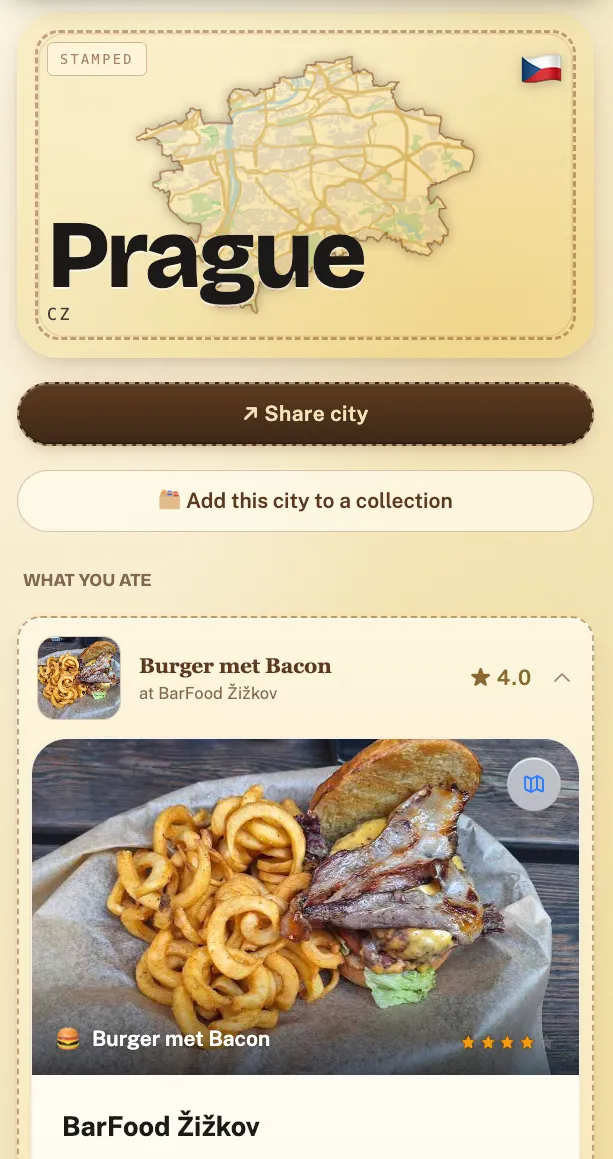
The last step is the one most people skip: writing down what was actually good. A month later you will not remember which of the three bakeries had the best pastry, and your friends going next year will ask. We cover that in how to track food on your travels. In Crumble, rating a few places during a trip away from home can also build an automatic trip recap once you are back.
Frequently asked questions
How do you plan a food trip?
Choose the city for dishes you want to eat, collect about twice as many places as you will visit in one list on a map, then split them into days by neighbourhood. Book one anchor meal per day, keep the rest walk-in, add one backup place per day and leave a buffer day without plans.
What is a food itinerary?
A food itinerary is a day-by-day travel plan built around meals instead of sights. Each day covers one area of the city, with one booked anchor meal and a few flexible stops for breakfast, snacks and drinks. Our template above has columns for area, each meal slot and a backup.
How many restaurants should you plan per day on a food trip?
Plan one booked anchor meal and 3 to 5 flexible stops a day, such as a bakery, a market stall or a bar. More than that and you stop enjoying it. Keep one or two of those stops optional so you can drop them if lunch runs long.
What is the difference between a food tour and a food trip?
A food tour is a few hours of small tastings in one neighbourhood, often one afternoon. A food trip lasts several days and uses food to decide where you stay and what you do each day. Many food trips include one self-guided food tour as a highlight.
Is there an app that builds a food itinerary from saved restaurants?
Yes. In Crumble you heart places in Explore, then "Make a trip" lays 2 or more liked places in a city out as up to 7 days, grouped by neighbourhood, without AI. It is free. You then edit the days, invite friends and export the trip to your calendar.
How far ahead should you book restaurants for a food trip?
Book anchor meals as soon as your dates are fixed, since the most popular places fill weeks ahead and each restaurant opens its booking window at a different time. Check each one's own booking page. Flexible meals need no booking: that is the point of keeping them flexible.