The Best Apps to Save Restaurants From TikTok and Instagram (2026)
The best app to save restaurants from TikTok depends on what else you save: Stasht if you want one inbox for every kind of post, Mapstr if you want a place map with TikTok and Instagram import built in, and Crumble if you only care about food and want to tick which spots from a video to keep. All of them read the link you share and turn the places in it into pins, so you stop scrolling through old Favorites trying to remember a name.
The job is always the same: a food video names three or four spots, and you want them saved somewhere you will find them again. Below is what each app reads, which phones it runs on, what the free version allows and where your saves end up. If you just want the manual method that works with any app, our guide on how to save restaurants from TikTok covers that.
The apps at a glance
| App | Links it reads | How places are found | Platforms | Free tier | Where saves go |
|---|---|---|---|---|---|
| Stasht | TikTok, Instagram, YouTube, X, Facebook, Pinterest, Reddit, web, screenshots | Automatic: reads captions, on-screen text and speech | iOS, Android, desktop | Free | Personal map, calendar, searchable cards |
| Mapstr | TikTok, Instagram Reels and carousels, web articles | Detects places, you choose which to add | iOS, Android, web | Import is free; free map holds 300 places | Your Mapstr map, with tags |
| Corner | TikTok, Instagram | Turns the shared link into pins | iOS | Free | Your map and lists, visible to followers |
| Tabi | TikTok, Instagram, other posts, screenshots | Pins the place, keeps the original post attached | iOS, Android | Free download, subscription offered | Map and shared lists |
| MunchMap | TikTok, Instagram Reels | AI plus Google Places; pick from candidates | iOS (Android announced) | Free | Private food map |
| mio travel | TikTok, Instagram | Pulls out the place, links back to the video | iOS | Free download | Travel map |
| Crumble | TikTok, Instagram, YouTube | AI finds named food spots, matched to a places database; you tick | Web app: Android share sheet, iPhone paste | 3 scans a month | Liked list and wishlist folders on your food map |
| Google Maps lists | None | Manual: search the name, save it | Everywhere | Free | Saved lists in Google Maps |
| Beli | None | Manual: search the name, add to Want to Try | iOS, Android | Free | Ranked lists and map |
One thing every app here shares: none of them can find a restaurant that the video only shows. If the name never appears in the caption, the subtitles, the speech or the text on screen, the app has nothing to look up. In that case the comments ("where is this?") are still your best tool.
Stasht: best if you save more than food
Stasht is a general "save anything" app. You share a TikTok, Reel, YouTube video, X post or plain link to it, or add a screenshot, and it pulls out places, dates, recipes and products without you sorting anything. Restaurants land on a personal map, events land on a calendar, and you can set a reminder on any save. It reads on-screen text and speech in videos, which helps with Reels that say the name out loud but never write it down. There is also a public map of what other Stasht users save.
Stasht is free on iOS, Android and desktop, with Chrome and Safari extensions for importing existing saves. Where it falls short for food: it is not food-specific, so there is no been-there versus want-to-try split and no ratings of your own. It is a very good inbox. If you want a stasht alternative because you only save restaurants, the food-only apps below will feel less cluttered.
Mapstr: best map with import built in
Mapstr has been a place-saving map for years, and it now takes shares too: on a TikTok video or an Instagram Reel or carousel, tap Share, pick mapstr, and it detects the places mentioned. You choose which ones to add, and it suggests tags you already use. It also accepts articles from your browser. The import is free on iOS and Android.
The rest of Mapstr is what makes it strong: colour-coded tags, "To try" and "Tried" status, notes, Google Maps and CSV import, and maps you can share as a link that opens in any browser. The catch: the free map holds 300 places, and adding places on the web version needs Mapstr Plus. Heavy savers hit that cap. We cover the options in our Mapstr alternatives guide.
Corner: best social map on iPhone
Corner is a social map for places you stumble across and don't want to forget, from cocktail bars to vintage boutiques. Share a TikTok or Instagram link to it and it turns the post into pins on your map. You can organise pins into lists, follow friends and other explorers, and get recommendations that adapt to what you save and review. It is free.
Limits: Corner is iPhone only, with no Android app. People looking for a corner app alternative are usually Android users or friends of iPhone users who can't join. Stasht, Mapstr and Tabi all cover both phones.
Tabi: best for keeping the original video
Tabi turns posts from TikTok, Instagram or anywhere else, including screenshots, into pins, and keeps the original post attached. Months later, when you tap a pin, you see the exact video that made you save it. You can build shared lists with friends (everyone can add spots), collect stamps for places you visit and add photos and notes. It is on iOS and Android. The download is free, and a subscription is offered.
MunchMap and mio: smaller iPhone options
MunchMap is food only. Paste a TikTok or Instagram Reel link and its AI reads the title, description and location tag, then checks Google Places for the coordinates. If the match is unclear you pick from candidates or search by hand. Saves are private, it is free, and it is iPhone only for now with Android announced. It is new, so expect a small app rather than a social network. If you were looking for a munchmap alternative because you are on Android, Tabi or Mapstr cover the same job there.
mio travel does the same for travel videos: share a TikTok or Instagram video, it pulls out the place and links it back to the original video on your map. It leans towards trips (hidden beaches as well as ramen bars) and is on iPhone.
Crumble: best for food, and for choosing what to keep
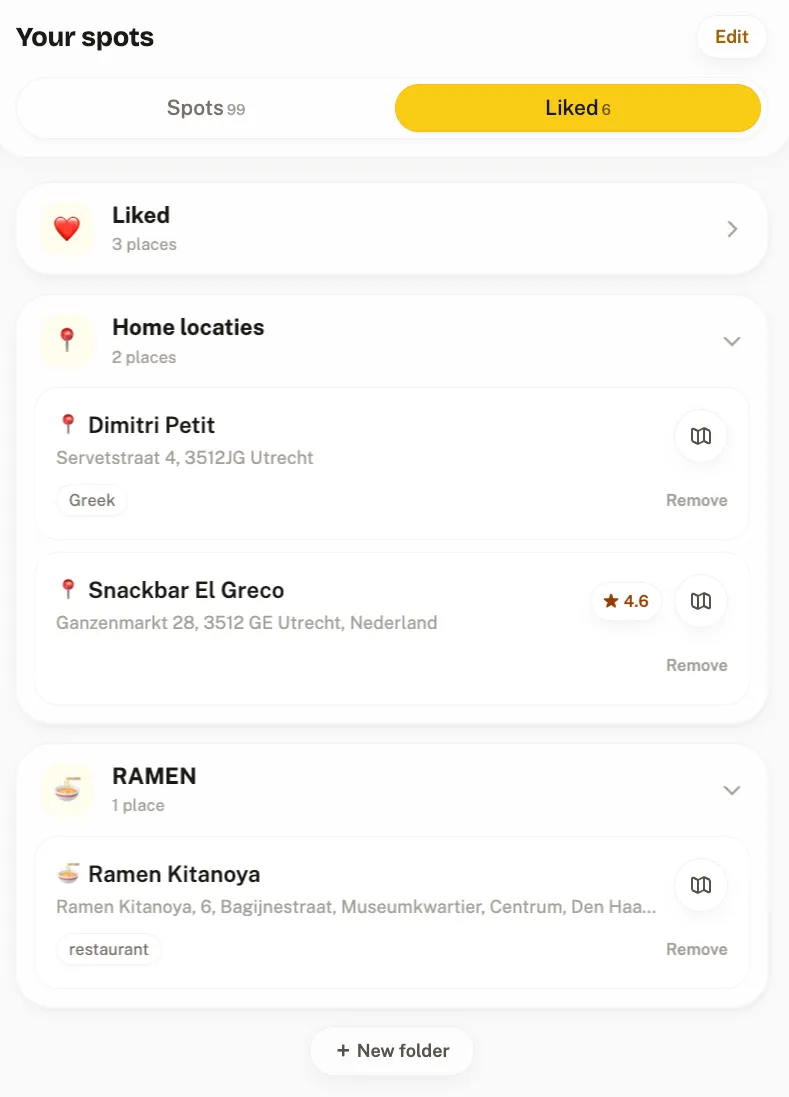
Crumble is a free food tracker (restaurants, cafés, bars), and its Find spots feature reads TikTok, Instagram and YouTube links. Here is exactly what it does:
- It reads the post, not your phone. Only the link goes to our server. For TikTok we read the caption plus TikTok's auto-subtitles, and the slides of photo slideshows. For Instagram, the caption. For YouTube, the title and description, and for Shorts and videos up to 3 minutes, an AI watches the video for what is said and shown as text.
- An AI lists the food and drink places the post names, up to 30 per post. Each name is matched to a real place in our places database (Foursquare Open Source Places plus OpenStreetMap), so the address and pin come from the database, not from the AI.
- You tick what to keep. You get a checklist, "Found 4 spots in Lisbon", with each spot's address and the quote from the post. Matched spots are pre-ticked; names we couldn't place are greyed out. Tap Like and they go to your Liked list or any wishlist folder. Nothing is saved automatically.
- From there, plan. Liked spots sit on your food map, and Explore's "Make a trip" can use your likes in a city.
On your phone: on Android, install Crumble from Chrome and it appears in the share sheet of TikTok, Instagram and YouTube. On iPhone there is no share-sheet option, because Crumble has no native iOS app: copy the link and paste it into Crumble. On a computer, paste the link the same way.
What it costs: 3 scans a month are free, and only scans that find something count. Crumble Plus (free 30-day trial, no card) removes that cap and adds a web check for names our database misses. The wishlist holds 2,000 places.
Where others do better: Crumble reads only the caption on Instagram, so a Reel that says the name out loud but never writes it will come back empty; Stasht reads speech. Crumble doesn't keep a link to the source video on the saved spot; Tabi and mio do. It handles food and drink only. And iPhone users paste instead of share.
The manual options: Google Maps and Beli
Google Maps does not read TikTok links, but it is where many people end up. You search the name from the video and save it to a list, which then works with directions and is shared with anyone you send the list to. If that is your plan, our guide to getting TikTok spots into Google Maps walks through it, and the same steps work for restaurants saved on Instagram.
Beli is a ranking app, not a link reader, but its want-to-try list is where a lot of food people keep spots they saw online. If your friends are already on Beli, searching the name and adding it there may beat any parser.
Pick by use case
| If you… | Pick |
|---|---|
| Save recipes, events and products as well as restaurants | Stasht |
| Want one map for every kind of place, with tags and sharing | Mapstr (watch the 300-place cap) |
| Are on iPhone and want a social map with friends | Corner |
| Want to see the original video again when you get there | Tabi or mio travel |
| Only save food and want to choose which spots from a video to keep | Crumble |
| Are on Android and want sharing straight from TikTok to a food app | Crumble (installed web app), Tabi or Mapstr |
| Already live in Google Maps and want no new app | Google Maps lists, by hand |
How to get better results from any of these apps
- Share from the post, not a repost. Duets, stitches and reposts often lose the original caption, which is where the name usually is.
- Check the city. A video titled "best tacos" can match a restaurant with the same name in another country. Every app here shows you the address; glance at it before saving.
- Add one line of why. "The pistachio croissant" saves you rewatching the video later. Most of these apps have a notes field.
- Clean up after visiting. A wishlist that only grows stops being useful. Our restaurant wishlist app guide covers how to keep one tidy.
Frequently asked questions
What is the best app to save restaurants from TikTok?
For most people, Mapstr or Stasht: both read TikTok and Instagram shares on iPhone and Android for free. Pick Stasht if you save more than food, Mapstr if you want a place map with tags. If you only save food and want to tick which spots from a video to keep, try Crumble.
Can Google Maps save places from a TikTok link?
No. Google Maps cannot read a TikTok or Instagram link. You have to find the name in the video, search it in Google Maps and save it to a list yourself. That works fine for one spot; for videos naming five places, a link-reading app is faster.
Is there a free app to save restaurants from TikTok?
Yes. Stasht, Corner and MunchMap are free, Mapstr's import is free with a 300-place map, and Crumble gives 3 free video scans a month plus a 2,000-place wishlist on every plan. Tabi and mio are free to download.
What is a good Corner app alternative on Android?
Corner is iPhone only. On Android, Tabi is the closest match (shared lists, map, original post attached), Mapstr gives you a mature place map with TikTok import, and Stasht covers every kind of save. Crumble works on Android through its installed web app.
Why didn't the app find the restaurant in the video?
Usually because the name never appears in text or speech the app can read. Apps look for a named place, so a video that only shows the food can't be matched. Reposts that drop the caption, private accounts and new restaurants missing from a places database cause the rest.