How to Save Restaurants From TikTok & Instagram
To save a restaurant from a TikTok or Instagram Reel, find the place name in the video, search it in a wishlist app such as Crumble, and save it to your map with a note. That manual workflow takes thirty seconds and works on every platform; a newer wave of apps automates the extraction step by parsing the video link for you.
You know the failure mode. A Reel shows the best-looking khachapuri you've ever seen. You tap the bookmark, feel organized, keep scrolling. Three weeks later you're in that city, and your saves are a wall of thumbnails with no names, no addresses, no memory of which clip it was. This guide covers the workflow that fixes it, and the apps built for exactly this problem.
The 30-second workflow that works everywhere
Before any app comparison, here's the platform-independent version: three steps, no dependencies, still works when a share sheet breaks or a parser doesn't support the platform.
- Get the place name. Pause the video and look in order: on-screen text, caption, the location tag under the username, then the comments (someone has almost always asked "where is this?"). If all four fail, the video was engagement bait; let it go.
- Search it in your wishlist app. Switch to the app where you keep want-to-try places and search the name. In Crumble that's the same search you'd use to log a visit: the save becomes a pin on a map, not a video thumbnail.
- Save it with a one-line note. "The khachapuri from that Reel" is enough: it's what rescues you three weeks later when the pin alone means nothing.
That's the entire system. The rest of this guide is about where those saves should live. For a deeper look at wishlist-keeping itself, see our guide to restaurant wishlist apps.
Why TikTok and Instagram saves rot
Both platforms have a bookmark button, and both fail the same way. TikTok's saves land in Favorites, where you can sort videos into collections ("Tokyo", "date spots") and that's the ceiling: as of mid-2026 there's no search across favorites, no map, no extracted address. Instagram's saved Reels work the same way: collections of clips, not places.
Three structural problems make this rot inevitable:
- Saves are videos, not places. You wanted to keep a name and a location; the platform keeps thirty seconds of footage that happens to contain them.
- No map. "Which of my saved spots is near me right now?" is unanswerable when saves live in a scrolling grid.
- No been-there split. Visited places and still-meaning-to-try places sit in the same pile forever, so the pile only grows and only gets less trustworthy.
Native saves are fine as a capture inbox and a bad archive. The fix is moving the place into something with a map: by hand (the workflow above) or via an app that parses the link.
The options at a glance
| Option | How the save happens | Platforms | After you visit | Price |
|---|---|---|---|---|
| Crumble | Search the place name, add to wishlist | Web app (installs on iOS, Android, desktop) | Wishlist pin auto-clears when you review | Free |
| Stasht | Share the video; app extracts the place | iOS, Android, desktop | Manual: saves stay saved | Free |
| MunchMap | Share the video; AI matches it to a place | iOS (Android planned) | Manual | Free |
| GoPlaces | Share the video; AI extraction + itineraries | Waitlist / early access | Manual | Early access |
| Google Maps lists | Search the place name, star it | Everywhere | Manual: move between lists yourself | Free |
1. Crumble: the long-term home for your saves
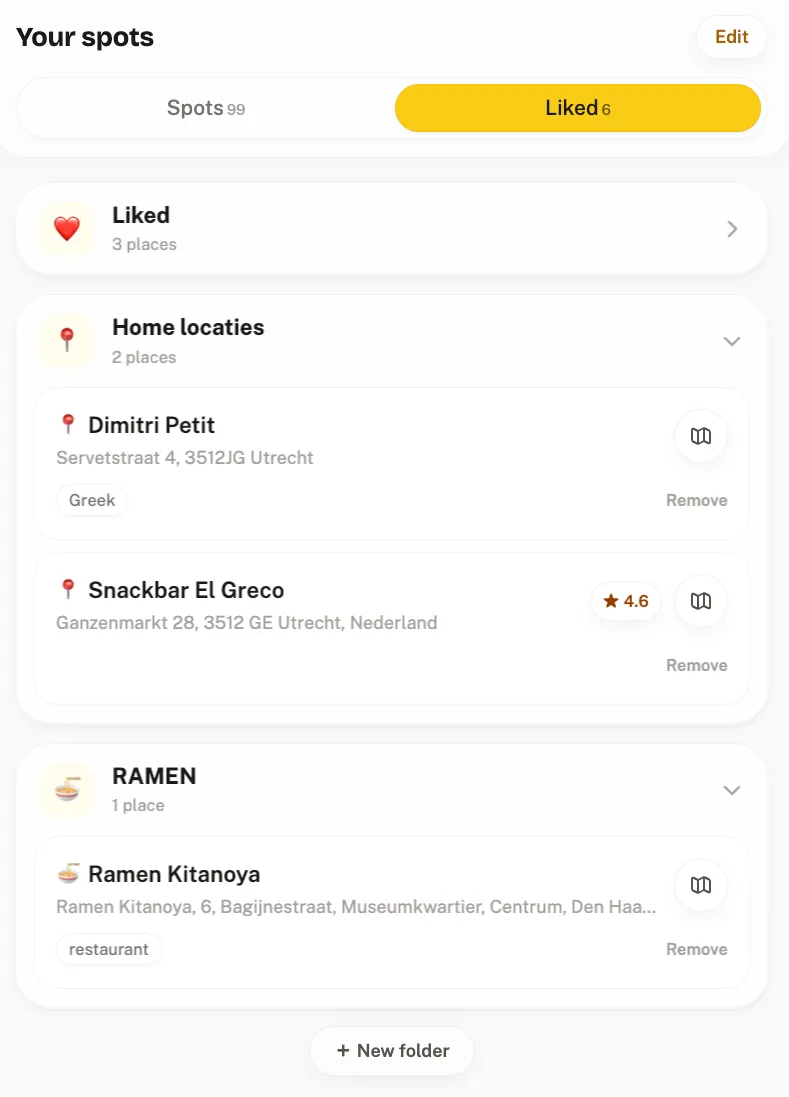
Crumble is a friends-first food tracker, and its wishlist is built for exactly the Reel-to-real-life pipeline. When a restaurant shows up in a TikTok, you search it in Crumble and add it to your wishlist. It sits as a pin on your map (alongside your rated spots and your friends) until you go; the moment you log a review there, the entry clears automatically.
Why that beats a pile of saved videos:
- Saves become visits. The wishlist feeds the same system that records where you ate and rates every dish on a 0–5 scale with tenth-of-a-star precision. A save has a life cycle: spotted → pinned → visited → rated.
- The list cleans itself. Because entries auto-clear on review, the wishlist only ever contains places you haven't tried: it never becomes the untrustworthy 500-item pile your TikTok favorites already are.
- Your circle's finds land on the same map. Friends rated spots appear alongside your pins: recommendations from the people you actually eat with, not the algorithm.
- Private by default, no install. Friends-only, EU-hosted, no paid ads, and it's a Progressive Web App, so it runs in the browser you already have.
The honest limitation: Crumble does not parse video links. You bring the place name yourself (step 1 above) and search it: ten seconds of typing per save. If you save Reels in bulk and want extraction automated, a paste app below does that part better.
2. Stasht: best automatic extraction
Stasht is the strongest example of the link-paste playbook: share a TikTok or Reel to it from the share sheet, and it reads the caption, on-screen text, and even the speech in the video looking for the place signal. When it finds one, the restaurant lands on your personal map with the address, hours, and the original video attached. It's free on iOS, Android, and desktop, and it isn't food-specific: it organizes saves of every kind into maps, calendars, and collections.
Trade-offs: extraction is the whole product. What you build is a better bookmark drawer: no visited-versus-wishlist life cycle, no ratings of your own, no dish history. The save never graduates into a record of whether the place was actually good.
3. MunchMap: best food-focused paste app (iOS)
MunchMap runs the same share-a-video flow but aims squarely at food: its AI analyzes the video's title, description, and location tag, cross-references Google Places, and pins the exact restaurant with real coordinates. When the match is ambiguous it shows you candidates to pick from, and you can always search manually. Saved places are private to your account. Free on iOS; Android is listed as coming.
Trade-offs: iOS-only for now, and like the other paste apps it's a capture tool first: the map fills up, but nothing separates the places you've been from the ones still waiting.
4. GoPlaces: extraction plus trip planning (early access)
GoPlaces saves places from TikTok, Instagram, Google Maps, and YouTube, enriches them with photos, reviews, and prices, and goes further than the others: AI turns your saved spots into itineraries and plugs into booking. Single-restaurant videos extract nicely; multi-place travel montages mostly get saved as plain videos.
Trade-offs: as of July 2026 it's in waitlist/early access, so the advertised feature set can't be fully verified in a live app. If you want something you can rely on this week, that matters.
5. Google Maps lists: the zero-setup fallback
No new app at all: identify the place, search it in Google Maps, star it into "Want to go". It's free, it's already on your phone, and the pins are on a real map, which alone puts it ahead of native TikTok favorites.
Trade-offs: it's a bookmark system: no memory of the video, no note structure, no rating scale of your own, no automatic been-there split. Our restaurant tracking apps comparison covers where Maps lists stop scaling.
Paste-app magic or a long-term home?
The honest split: if your bottleneck is capture (ten food Reels a week, no patience for typing names), a dedicated paste app like Stasht or MunchMap genuinely automates that step, and Crumble doesn't. If your bottleneck is what happens after the save (a pile that grows forever) the wishlist-with-a-life-cycle model wins, because every save either becomes a rated visit or keeps waiting visibly on the map. Plenty of people run both: paste app as the inbox, Crumble as the record. Either way, process the save while the video is still in front of you, not three weeks later: more on that habit in how to keep track of restaurants you've been to.
How we chose
We build a food tracker ourselves, so we have an obvious interest here, and we've handled it as in all our comparisons: every competitor description above comes from the app's own website or app-store listing, not from our opinion of it, verified against their published pages in July 2026. We included an option when it (a) can turn a restaurant seen in a TikTok or Instagram video into a saved, locatable place, (b) keeps those saves on something you can browse later, ideally a map, and (c) is free to start (GoPlaces gets an early-access caveat). We excluded generic bookmark-everything tools with no place awareness, because "the video is saved somewhere" is the problem, not the solution.
Frequently asked questions
How do I save a restaurant I saw on TikTok?
Get the place name first: pause the video and check the caption, on-screen text, location tag, or comments (someone almost always asks). Then search that name in a wishlist app like Crumble and save it with a one-line note. Thirty seconds, works for any video on any platform.
Does TikTok have a built-in place map?
No. TikTok's bookmark puts videos into Favorites, and you can group them into collections, but saved posts never appear on a map. There is no address, no search across your saves, and no way to see which bookmarked spots are near you, which is exactly why the save-to-map app category exists.
What app saves restaurants from Instagram Reels?
It depends on how much automation you want. Stasht and MunchMap accept a shared Reel directly and extract the place automatically from the caption, on-screen text, or location tag. Crumble takes ten seconds more (you search the place name yourself) but keeps the save useful long-term: a wishlist pin on your map that clears itself once you visit and review.
What happens to my saved list after I actually visit?
It depends on the app. In most save-from-social apps and Google Maps lists, nothing: the pin sits there and you curate 'been vs. want to go' by hand. In Crumble, the wishlist entry auto-clears the moment you review the place, so the wishlist only ever shows spots you haven't tried.
Is it free to save places from TikTok?
Yes. Crumble's free tier includes the wishlist, restaurant and dish tracking, and the friends map (a planned Crumble Plus tier, not on sale yet, will lift the wishlist cap). Stasht and MunchMap are free too, as are Google Maps lists: free is the norm in this category.
Stop losing the good spots
Next time a Reel shows you somewhere worth eating, give it a real home: search it in Crumble and pin it to your wishlist. It waits on your map until you've been, then clears itself when you review. Free, private by default, no install.