
Restaurant History App: Rebuild What Google Timeline Lost
The best restaurant history app is Yummi if your camera roll is already your food diary, Memolli if you want a private journal that works offline, and Crumble if you want every dish rated and your history shared with friends. If your history used to live in Google Maps Timeline, export what Google still holds first, because Timeline now lives only on your phone.
Google moved Timeline onto each phone during 2024 and 2025 and switched it off on the web. Accounts that missed their deadline kept at most the last 90 days. This guide shows how to rescue what is left, how to rebuild the rest, and which apps keep a history that will still be there in ten years.
Never used Timeline and just want an app? Our full comparison of restaurant tracking apps puts seven of them side by side. This page is for people who had a history and lost some of it.
What happened to Google Maps Timeline?
Google Maps Timeline stopped being a cloud service: in December 2023 Google announced that Timeline (the feature behind Location History) would be saved on your device instead, with optional encrypted backups. It also changed the default auto-delete for people turning Location History on to three months, down from 18.
The switch rolled out account by account. Google emailed each account a personal deadline: the first wave had until December 1, 2024, Android Police reported, and accounts notified later got about six months from their email, with deadlines such as June 9, 2025. If a deadline passed without action, Google said it would try to move only the most recent 90 days to the first signed-in device; older visits were deleted.
Timeline on the web went away along the way. Google's help page now says that "Timeline is not available for Maps on your computer." So if your restaurant history looks thin, there are three common reasons: you missed the migration deadline, you switched phones without the Timeline backup turned on, or auto-delete has been quietly trimming it to three months.
Can you get your restaurant history back?
Partly: visits Google already deleted cannot be recovered, but you can export what Timeline still holds, pull your Google reviews and saved lists from Takeout, and rebuild the rest from geotagged photos, reservation emails and card statements. Work through these in order:
- Export what Timeline still has. In the Google Maps app on iPhone: profile picture → Settings → Location & privacy → Export Timeline data, then Save to Files. On Android the option sits in the phone's Settings under Location → Location services → Timeline → Export Timeline data (steps from Google's Timeline help). You get a JSON file of visits that you can keep or open in a timeline viewer. Then turn on the backup so the next phone switch does not wipe it; Google requires auto-delete to be off first (otherwise the options are 3, 18 or 36 months).
- Export your Google reviews and saved lists. Google Takeout still exports "Maps (your places)" (the reviews you wrote, as GeoJSON) and "Saved" (your lists, as CSV). Our Google Maps saved places export guide walks through it step by step.
- Open the map in your photo app. Apple Photos and Google Photos can both show geotagged photos on a map. Scroll it city by city and every plate you photographed is a restaurant you can add back. Yummi automates this step: upload old food photos and it tags each one by time and place.
- Search your inbox and statements. Reservation confirmations, delivery receipts and card statements list venue names and dates. On iPhone, Zest reads a linked card for you and maps the restaurants you paid at, going back up to two years.
- Check older check-in apps. If you ever used Swarm, Yelp or a booking app, your history may still be sitting in your account there.
Then put it somewhere permanent. Crumble imports your Google Takeout saved places directly as wishlist entries (upload the GeoJSON file, which keeps coordinates; the free wishlist holds 50 places). Google reviews are not imported, so re-add the ones you care about as reviews. For the places you recover from photos or receipts, you can set the date you actually visited on each review, so the history reads in the right order rather than all on the day you typed it in. Once you have recovered the visits, a restaurant diary app keeps them from getting lost again.
Rebuild your restaurant history
Which apps keep a restaurant history?
Google Maps Timeline is the only app here that records visits automatically from your location; Zest (iPhone) fills a map from a linked card, Yummi builds a history from the food photos you upload, and the rest keep a history of the places you log yourself, in your account instead of on one phone. Automatic is effortless but fragile and has no opinion; logging takes thirty seconds a meal and gives you a history worth reading.
| App | How visits get in | What it remembers | Where it lives | Platforms |
|---|---|---|---|---|
| Yummi | You upload food photos, new or old; each is tagged by time and place | Meals from restaurants and home on a calendar and a map | Your Yummi account (private or shared per post) | iOS, Android |
| Memolli | You log a review, even offline | Restaurants, dishes and drinks with ratings, repeat visits | On your device; account optional for sync; plain-text export | iOS, Android |
| Crumble | You log a review (optionally backdated) | Each dish with a 0–5 rating, notes, photos; countries and cities | Your account, EU servers | Any browser; installs on iPhone and Android |
| Dishrant | You log a meal | Dish names, ratings, photos, prices, notes; a timeline of meals | The app | iPhone |
| BiteBucket | You rate a visit | A rated history plus a bucket list; friends recent visits | Your BiteBucket account | iPhone, iPad |
| Google Maps Timeline | Automatic from location | Every place you stopped, no opinion | On your phone (optional encrypted backup) | Android, iOS (not on computer) |
| Swarm | You check in | Every place of any kind, searchable | Your Foursquare account | iOS, Android |
| Beli | You add places you have been | Restaurants ranked against each other | Your Beli account | iOS, Android |
| Mapstr | You save places | Any place with tags, notes, rating; visits journal on Plus | Your Mapstr account (CSV/GeoJSON export) | iOS, Android, web |
Yummi is the closest thing to a history that rebuilds itself from what you already have: its App Store listing says you upload food photos "new or old" and it tags each by time and place, then shows them on a calendar or a map. It is free and covers home cooking as well as restaurants.
Memolli is a private journal first. Its listing covers rating restaurants and individual dishes, recording repeat visits to see how your opinion changes, working without a connection or an account, and exporting your reviews to plain text. The download is free, with optional subscriptions from $3 a month on the US App Store as of October 2026.
Dishrant is an iPhone app with a map of every restaurant you have visited, meal logs with dish names, ratings, photos and prices, and a timeline of meals; Pro costs $0.99 a month or $7.99 a year per its App Store page. BiteBucket pairs a rated history with a bucket list and shows where your friends have been eating lately.
Google Maps Timeline is still the only option that fills itself in from your location. If you only want "where was I on that Tuesday", keep it on, turn auto-delete off and turn on the backup. The weakness is that it knows you stood somewhere, not that you ate there or whether it was good, and it lives on one device.
Swarm keeps a lifelog of check-ins you can search by category and browse on a map; it fits if you want a history of every kind of place (see Swarm alternatives for food use). Beli keeps a Been list and ranks it, and Mapstr keeps a tagged map of saved places with a visits journal on its Plus plan.
How does Crumble keep your restaurant history?
In Crumble your history is the sum of your reviews. Each one records the place, every dish you ordered with a rating on a 0 to 5 scale in tenth-of-a-star steps, notes, photos, and the date you went. Three views make that history easy to read years later:
- The map. Every restaurant you have reviewed is a pin. Zoom into any city and you see where you ate and how good it was.
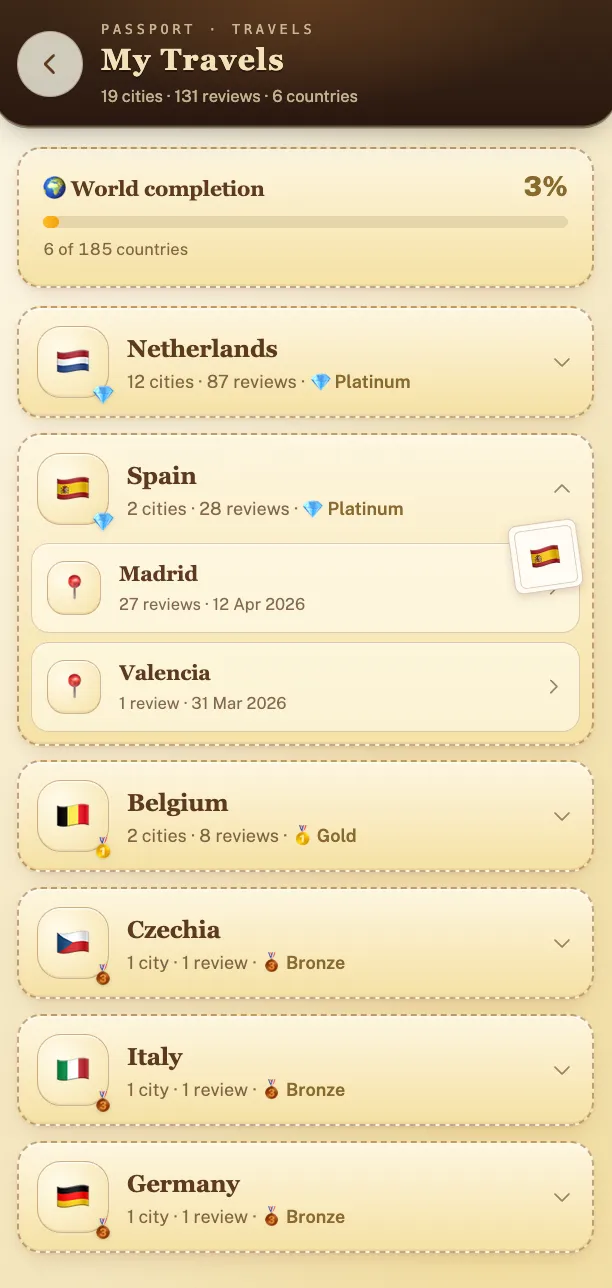
- Travels. Every country and city you have eaten in, collected automatically when you review a meal there. It turns "where have I eaten in Italy?" into one tap. The mechanics are covered in our food passport app guide.
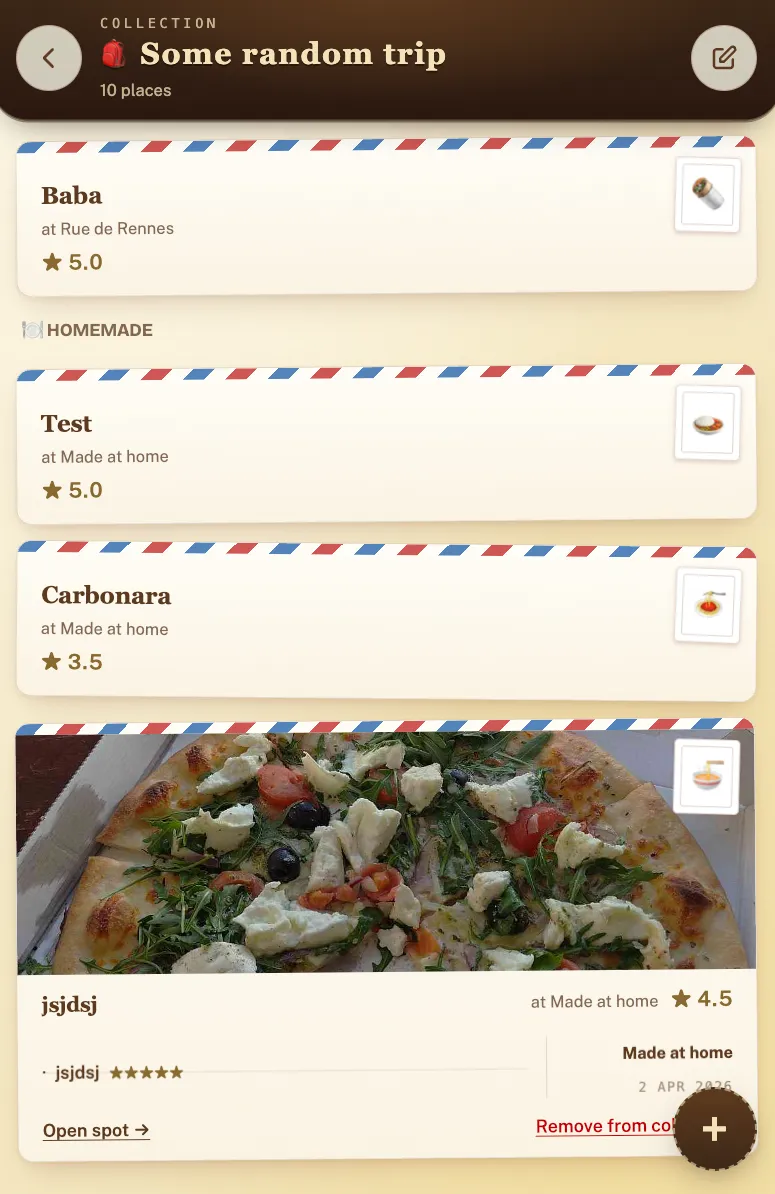
- Collections. Group reviews into a shareable list, such as one per trip, so "that week in Lisbon" stays together.
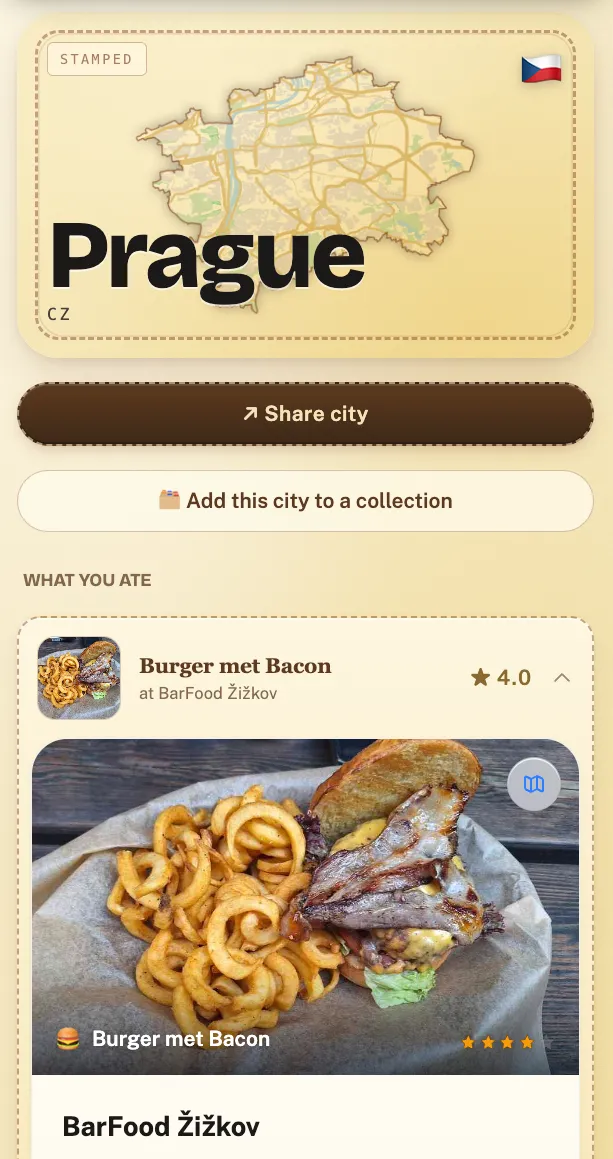
By default your history is shared only with accepted friends, not the internet, unless you share a link to a collection or city. Nobody can buy it: there are no ad networks or ad trackers, and free maps can show pins marked Sponsored, which never change a rating or search order. It also does not depend on any one phone: it lives in your account, so a new device or a lost one changes nothing. You can request a machine-readable export of your data at any time under GDPR.
When is another app the better choice?
- You will never log anything by hand. Keep Google Maps Timeline on, with backup, and accept that it is a location log rather than a food record. On iPhone, Zest fills a map from your card instead.
- Your history is mostly photos. Yummi turns a camera roll into a dated food map faster than any manual log.
- You travel without data and want nothing in the cloud. Memolli works offline and without an account.
- You want every place, not just food. Swarm or Mapstr cover museums, bars and parks as well as restaurants.
- You want your history ranked against strangers. Beli's community and rankings are much bigger than anything Crumble offers.
Crumble is the better pick when you want to remember what you ate and whether it was good, organized by city and country, and shared with the people you eat with.
How do you keep a restaurant history from now on?
Log the visit before you leave the table: the place, the dish, a quick score. It is the only habit that produces a history you can trust. For the full set of methods, from spreadsheets to dedicated apps, see how to keep track of restaurants you've been to, and for trips specifically, how to track the food you eat while traveling.
Frequently asked questions
Is there an app that shows every restaurant I have been to?
Not automatically and permanently. Google Maps Timeline records places you visited if it is turned on, but it now lives only on your phone and is trimmed by auto-delete. Zest on iPhone maps restaurants from a linked card, and Yummi builds a map from your food photos. For a permanent, rated record, log visits in an app such as Crumble, Memolli or Dishrant.
Why did my Google Maps restaurant history disappear?
Google moved Timeline from the cloud to your device during 2024 and 2025 and switched off Timeline on the web. Accounts that missed their migration deadline kept at most the last 90 days. Switching phones without the Timeline backup, or an auto-delete setting of three months, also removes older visits.
Can I still see Google Maps Timeline on my computer?
No. Google's help page states that Timeline is not available for Maps on your computer. You can view it in the Google Maps app on Android or iPhone, and export it from there as a JSON file.
How do I export my Google Maps Timeline?
On iPhone, open Google Maps, tap your profile picture, then Settings, Location & privacy, Export Timeline data, and save the file to Files. On Android, go to the phone's Settings, Location, Location services, Timeline, Export Timeline data. The file covers what is stored on that device.
Is there a free restaurant history app?
Yes. Crumble is free and works in any browser on iPhone, Android and desktop. Yummi, BiteBucket, Swarm and Beli are free too, Memolli and Dishrant are free with optional paid plans, and Mapstr is free up to 300 places.
Can I add restaurants I visited years ago?
Yes. In Crumble you can review any place and set the date you actually visited, and you can import your Google Maps saved places from Google Takeout as wishlist entries (Google reviews are not imported, so re-add those by hand). Photo maps, reservation emails and card statements are good sources for the rest.
Start a restaurant history that stays
Crumble is free and keeps your history in your account, not on one phone. Import your Google saved places, then add tonight's dinner.